
Photo Albums
How to Make a Digital Photo Album With Music as a Gift
How to pick up to 60 photos, put them in an order that tells a story, write the first-page note and send a digital photo album with music by one link.
By Seb, founder of Only Happy Tears5 min read
In this article
Somewhere in your phone, between screenshots and parking spots, are the photos that tell the story of someone you love. Gathered in the right order, with music under them, they become one of the kindest gifts you can give.
To make a digital photo album with music as a gift, choose up to 60 photos from your phone that mix years, faces and candid moments, arrange them so they tell a story, write a short note for the first page, and send it as one link. In ours, the pages turn to a song written about them.
Picking up to 60 photos
Sixty is the limit, and you don't need to reach it. An album of 35 photos you love beats 60 where you were filling space. What you want is range: different years, different people, different moods, so the album feels like a whole life instead of one weekend.
It starts with a few questions about the person, about five minutes, and then you add your photos straight from your phone. Before you open the camera roll, use this checklist:
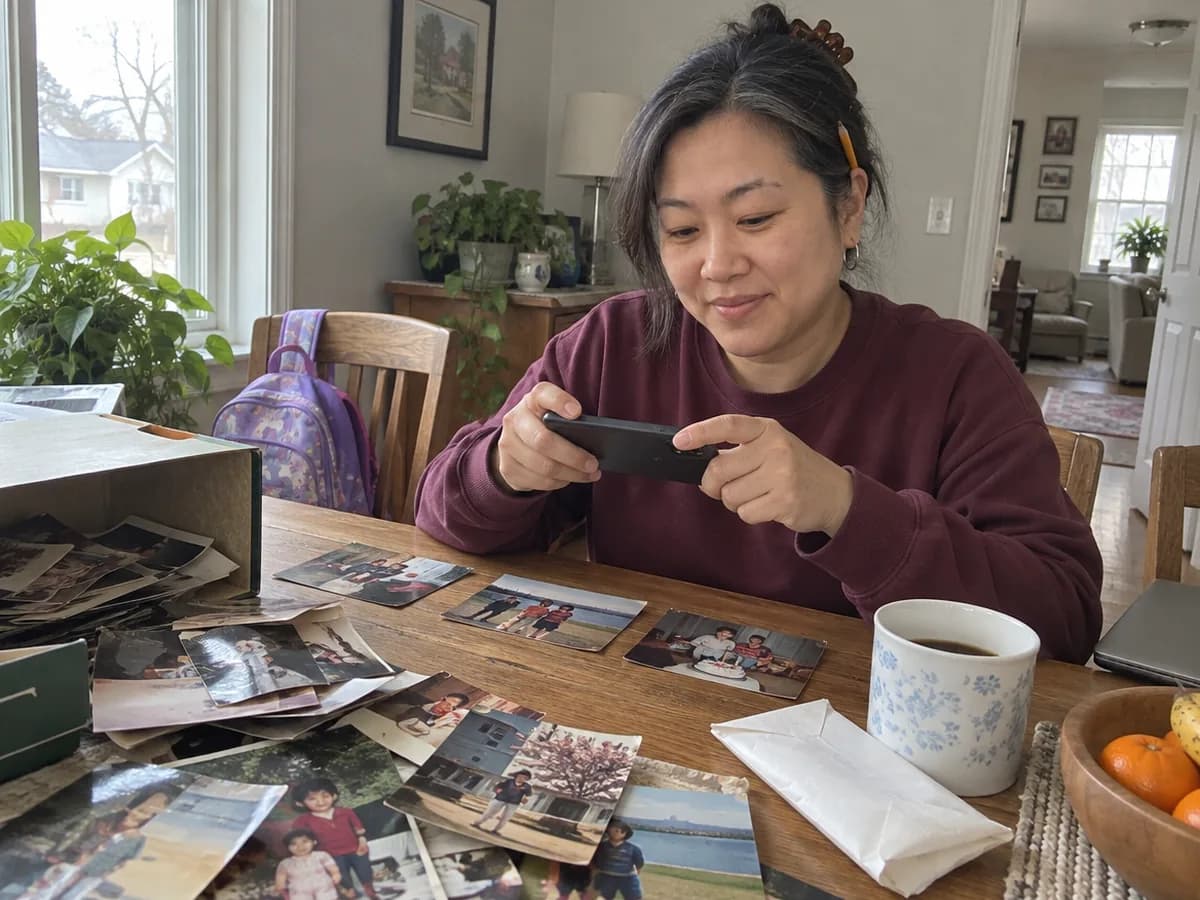
- Every era you have: childhood, school years, the early days of knowing them, and now. Old prints count. Photograph them flat on a table in daylight, without flash.
- Their face, clearly, on plenty of pages. Group shots where they're a speck in the back row can go.
- The people they love: kids, siblings, best friends, the dog.
- Candid shots: mid-laugh, mid-sentence, asleep on the couch, flour on their hands.
- Places that mean something: the first apartment, the lake, the kitchen table.
- One or two terrible photos that make them laugh every time.
- Leave out: near-duplicates (keep the best of each burst), screenshots unless the screenshot is the memory, and photos they've told you they hate.
Listen to the song from our sample album
Putting them in an order that tells a story
We put your photos in an order that tells the story, and you open the whole album before you send it, so you can move anything that feels wrong. Knowing which story you're telling makes that check easy.
Three shapes work well:
- Then to now. The simplest and often the strongest: from the oldest photo to this year. It suits birthdays, retirements and big anniversaries.
- Chapters. Runs of photos grouped by place or role: the years in the city, the coaching years, the grandkid years.
- One thread. A single thing that runs through their life: the garden, the kitchen, every dog they've had.
Whatever the shape, two pages carry the most weight. Open on a photo that makes them stop, ideally their face, close. Save a strong one for the end, and end on now, or on the two of you. Then look for pile-ups, like three beach photos in a row, and spread them out.
Say your best friend is moving across the country. A then-to-now album could start with the two of you at 15 and end on the empty apartment the night before the truck comes.
Writing the note on the first page
The note on the first page sets the tone before the first photo, so write it like a card you'd hand them, not like a caption. Two to four sentences is plenty.
- Open with their name, or what you call them.
- Say why now: because you're turning 70, because you're leaving on Sunday, because I never said it.
- Add one line only you could write: a memory, an inside joke, a thank-you for something specific.
- End with a small instruction: turn the pages slowly, or put your sound on.
For example, a note for a dad who was always behind the camera might read:
Dad, you took almost every photo of our childhood, so you're barely in any of them. I went looking for the ones you are in. Sound on, and go slow.
Write a first draft, then read it again the next morning. Whatever still sounds like you can stay.
Sending it: one link, no app
The album goes as one private link, by text, WhatsApp or email. They tap it and the music starts. There is no app to install, which matters if the person you're giving it to finds new apps more trouble than they're worth.
Before you send it, open the whole album yourself, start to finish, with sound. Change the song, the order or the words until it feels like them.
Then pick the moment. Send it when they can sit with it: morning coffee, a quiet Sunday, the evening of their birthday. Avoid the middle of a workday, when they'll glance at it between meetings and save it for later. A one-line message helps:
- "Made you something. Put your sound on and open this when you have five quiet minutes."
- "Happy birthday, Mom. Open this before anyone calls you today."
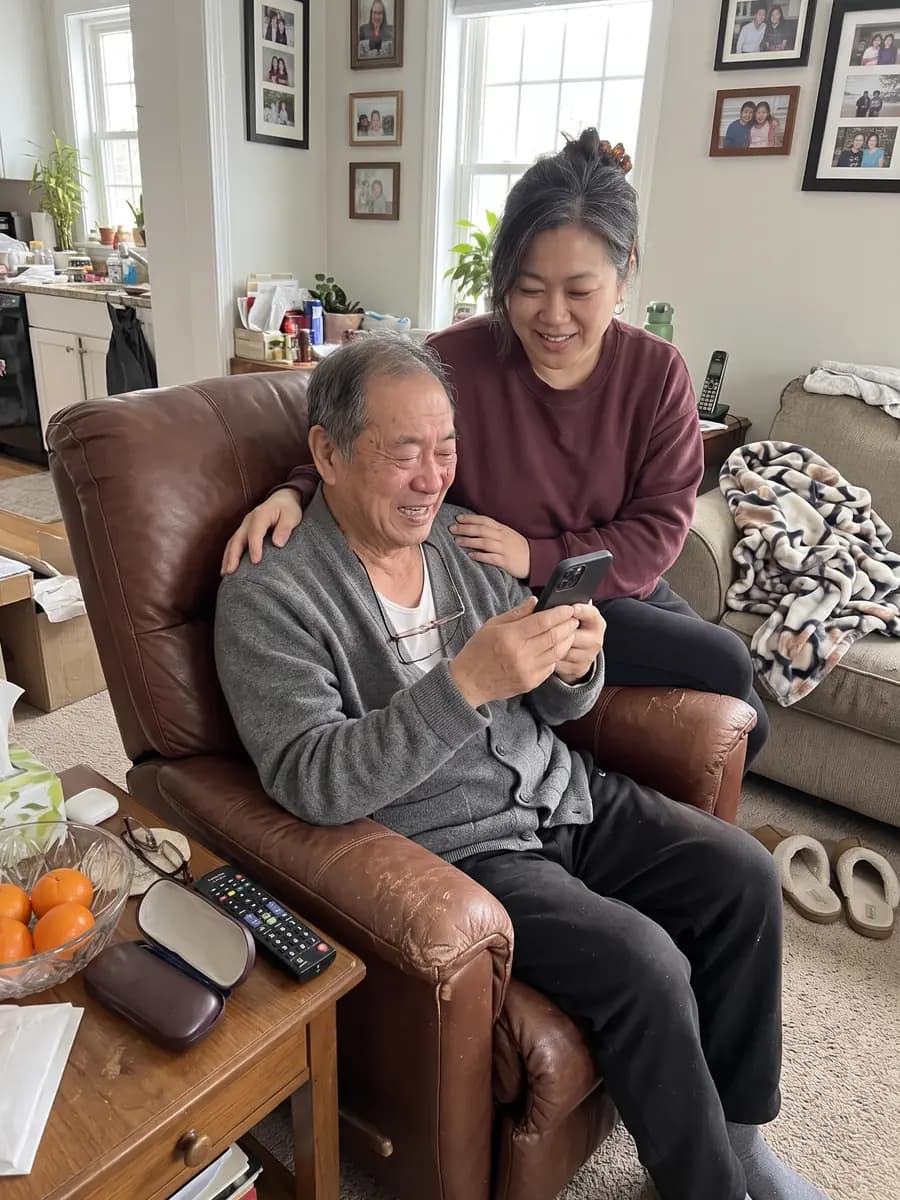
If they don't use their phone much, open it on yours and hand it to them. Watching them turn the pages is half the gift.
Digital album, slideshow video or printed album?
Each one suits a different person, so it's worth choosing on purpose. A quick decision rule:
- Choose a printed album if they like holding things, rarely use their phone, or want something on the coffee table. The trade-offs: designing, printing and shipping take time, there's one copy in one house, and there's no music.
- Choose a slideshow video for a party screen, when a room full of people watches at once. The trade-offs: it runs at its own speed, so nobody can linger on a photo, the music is usually a song that already exists, and long videos can be awkward to send.
- Choose a digital album with a song when the person is far away, when you want them to turn the pages at their own pace, and when you want the music to be about them. The trade-off: it lives on a screen.
Some people give both: a printed album for the shelf, and a digital one with music for the morning of the big day.
Make their album
Gather the photos first, since that's the step that takes longest. Then start their photo album, answer a few questions about them and add your photos straight from your phone.
It's free to start, and you see it before you pay, so you can open every page and hear their song before you decide. To see how the pages, the song and the link fit together, read about the Digital Album.
Frequently Asked Questions
How many photos should a digital photo album have?
Ours holds up to 60, and you don't need to fill it. A tight set of 30 to 40 photos that cover different years, people and moods often feels fuller than 60 that repeat the same weekend. Pick one strong photo per moment, skip near-duplicates, and make sure their face shows up clearly on plenty of pages.
Can you add music to a digital photo album?
Yes. In ours, the music is a song written about the person from your answers, so the pages turn to a song about them instead of a track everyone already knows. You open the whole album before sending it, and you can change the song, the order or the words until it feels like them.
Does the person need an app to open a digital photo album?
No. The album goes as one private link by text, WhatsApp or email. They tap it and the music starts, with nothing to install. That makes it easy to send to someone far away, or to a parent or grandparent who doesn't like downloading things. If they rarely use a phone, open it on yours and hand it over.
Can I put old printed photos in a digital photo album?
Yes, once they're on your phone. Lay each print flat on a table near a window, turn off the flash, and photograph it straight from above so the edges stay square. Crop out the table afterward. Old prints mixed with recent phone photos are what give an album its sense of time, so it's worth the extra half hour.
Is a digital photo album a good gift for grandparents?
It can be, if they're comfortable tapping a link in a text or email. The album opens with one tap and needs no app, which helps. If they rarely use a phone, open it on yours and turn the pages with them, or consider a printed album they can keep on the table. Some families do both.
Seb, founder of Only Happy Tears
Music has carried all of us through the hard days and the happy ones. I started Only Happy Tears after writing a song for my family to tell them how grateful I am. Their first reaction was happy tears. Now I want everyone to be able to give that moment to the people they love, at a price anyone can afford and with no subscriptions.